EnjoyiZimix
Blind test & Name that song!
Turn songs, music videos and trivia into interactive quiz shows with automatic buzzer control and scoring.

Enjoy iZiMiX
Turn songs, music videos and trivia questions into a complete interactive quiz show with automatic buzzer control and scoring.
A complete music and multimedia quiz system
Enjoy iZiMiX controls the music, detects the first player to buzz in, locks the other buzzers and manages scoring from one interface.
Music Blind Tests
Ask players to identify the singer, song, movie, television program or soundtrack.
Automatic Buzz-In
The first buzzer stops the music automatically and locks the other players.
Easy Refereeing
Award points, reject incorrect answers and restart the music with simple controls.
Multimedia Quizzes
Combine questions with pictures, music and MP4 videos on the audience screen.
Three ways to play
Run a fast music blind test, an ABCD multiple-choice activity or a complete multimedia quiz.
Blind Test
Play a song or video and let the fastest player buzz in. The media stops automatically while the MC checks the answer.
MCQ
The MC asks a question and all participants answer A, B, C or D. Correct answers receive points with one click.
Quiz
Display questions, possible answers and associated images, music or videos directly on the second screen.
Automatic control from buzz-in to score
The software controls the media, buzzer status and game flow while the MC focuses on hosting the show.
First Player Buzzes
The first player takes control. Their buzzer flashes, the others are locked and the song stops automatically.
MC Checks the Answer
The MC asks for the singer, title or other answer and then marks it as correct or incorrect.
Continue the Game
Award the points or reopen the question to the other teams, then move to the next track.
Everything needed to host the show
Prepare the media, customize the teams, referee each round and present live information to the audience.
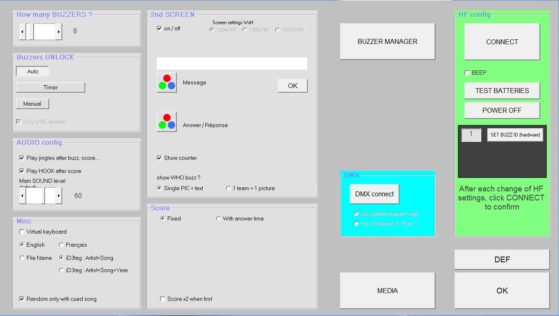
Flexible Setup
- Edit the name and display color of every team.
- Create and modify song lists at any time, including while the game is running.
- Access MP3 files directly through 20 shortcut keys.
- Use the search function to find songs quickly.
- Set the number of connected buzzers, scoring rules, text colors, pictures and default sounds.
- Adjust the display resolution for the audience screen.
Music Cues & Jingles
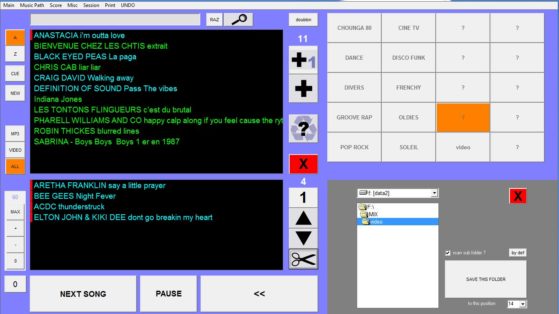
- Set and save a cue point for each song, such as the beginning of the chorus.
- Start playback from the saved cue point with one click.
- Play the chorus when points are awarded to create a more exciting game-show moment.
- Use the integrated jingle machine to play up to 12 sounds and pictures.
- Trigger jingles using the J1–J12 buttons or the F1–F12 keyboard keys.
Clear and Accurate Refereeing
- View average and best response times to compare teams.
- Identify the first player through the flashing buzzer.
- Lock players after incorrect answers and reopen the question to the remaining teams.
- Award points and manage the next track through the MC interface.
MCQ & Quiz Modes
- All participants can answer A, B, C or D at the same time.
- Validate the correct answers and award points with one click.
- Use MCQ mode for simple questions spoken by the MC.
- Use Quiz mode with the optional QuizMaker module for complete multimedia questions.
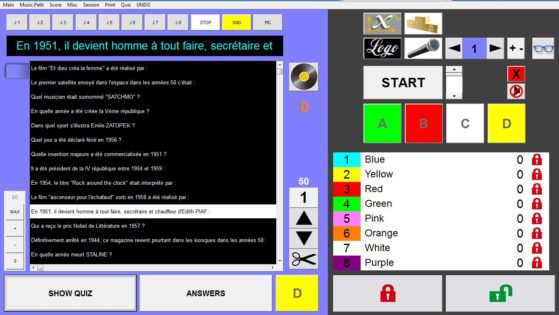
Dual-Screen Show Display
- The main screen gives the MC access to game controls, playlists and scoring.
- The second screen displays real-time rankings, buzz-ins and correct-answer confirmation.
- Play MP4 videos directly on the audience screen.
- Video playback supports the same playlist and cue functions as music.
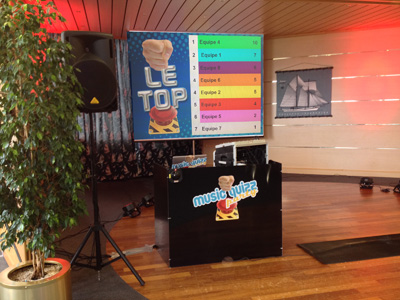
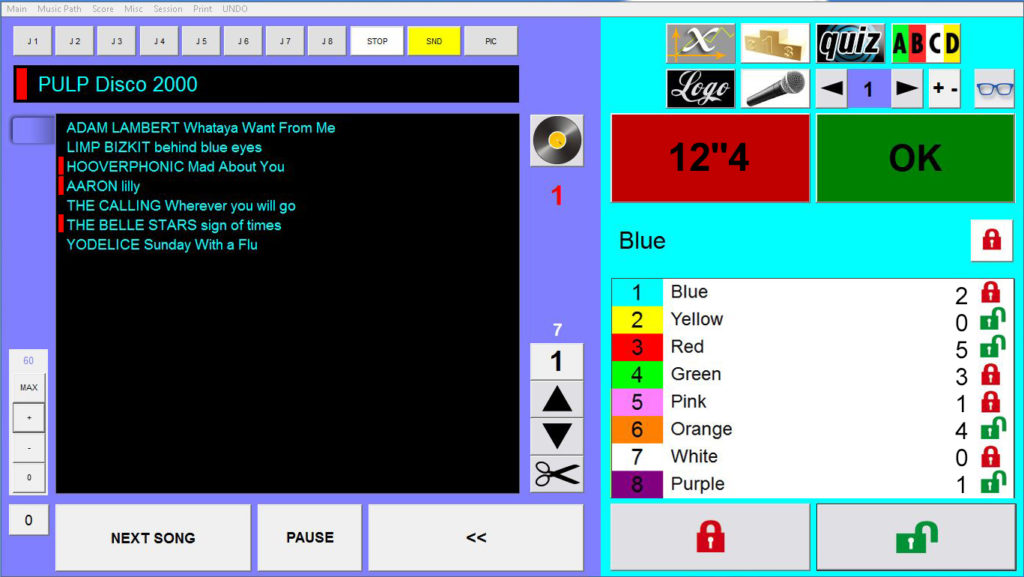
Example of a live Blind Test round
Eight teams compete while Enjoy iZiMiX manages the song, buzzers, lockout and scoring.
From the song to the next round
A song by Pulp is playing and the teams listen for the answer.
What is Quiz Mode?
Quiz mode is an advanced version of MCQ mode. It uses the optional QuizMaker module to create complete questions with answers and associated multimedia content.
MCQ Mode
The MC speaks the question and participants submit a simple A, B, C or D response using their buzzers.
Quiz Mode
Questions, possible answers and associated images, music or videos are displayed on the second screen.
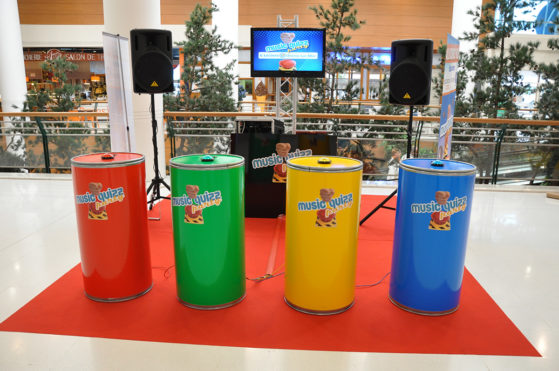
Use Enjoy wireless buzzers
Enjoy iZiMiX supports compatible Enjoy buzzers for music blind tests, multiple-choice questions and multimedia quizzes.
303S Buzzer
Our most versatile buzzer for music quizzes, interactive games and multimedia competitions.
Cube Buzzer
A distinctive cube-shaped wireless buzzer for team quizzes and game-show activities.
Dome Buzzer
A classic large-button wireless buzzer for fast music and trivia competitions.
Tower Buzzer
A highly visible wireless buzzer for live events, quiz nights and stage games.
What you need
Combine the software with compatible Enjoy buzzer hardware to create the complete iZiMiX system.
Software Package
The software package provides the essential tools and media required to prepare and run the show.
Required Hardware
The complete system requires compatible Enjoy buzzers and a receiver. An optional remote allows the MC to control the main functions while moving around the venue.
Turn every song into a competition
Run music blind tests, multimedia quizzes and interactive game shows with Enjoy iZiMiX and wireless buzzers.

Contact us
Tel / Fax: 86-20-37212096
Postcode: 510850
SKYPE: enjoy-ars
Email: [email protected], [email protected]
WeChat: cxlweibo2011
WhatsApp: +86 13316041506