Enjoy IR117
Complete Infrared Audience […]
Simple Clicker Response for Classes and Training
IR117 is one of Enjoy's original infrared audience response systems. The complete system combines participant clickers, an instructor remote, an infrared receiver and interactive software for quizzes, training and audience voting.
A Complete Audience Response System
The IR117 solution includes the hardware and software needed to present questions, collect participant responses, control the presentation and display results.
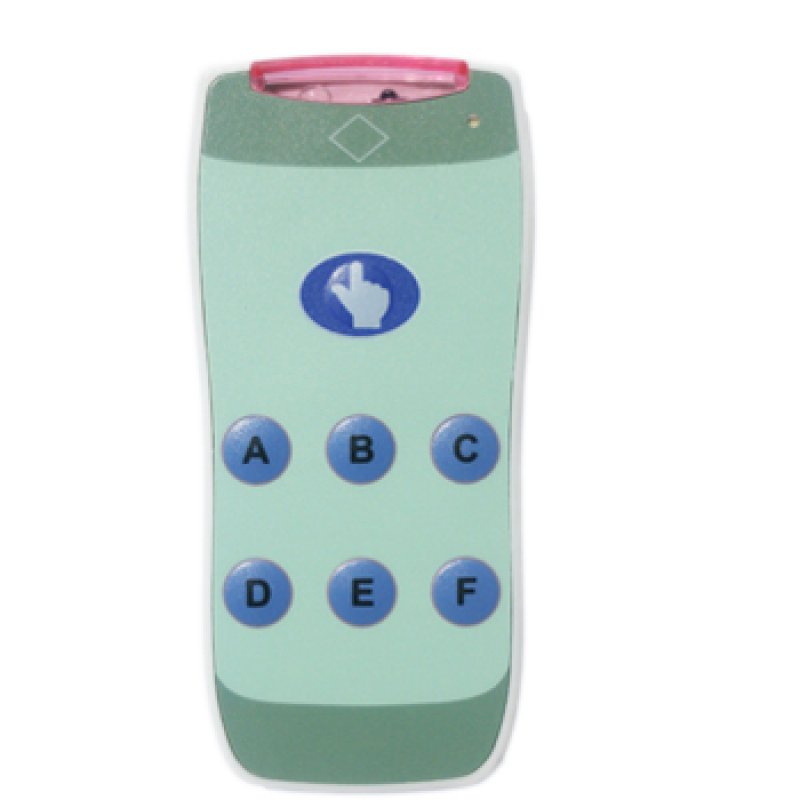
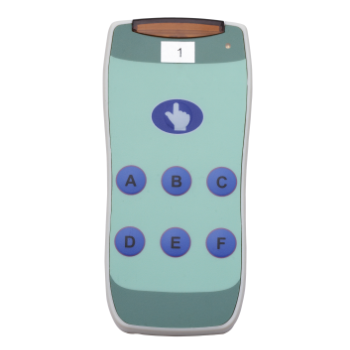
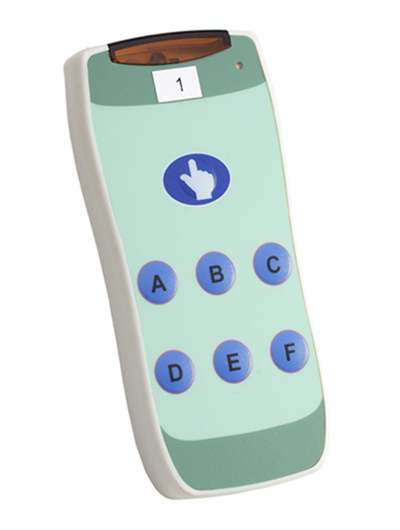
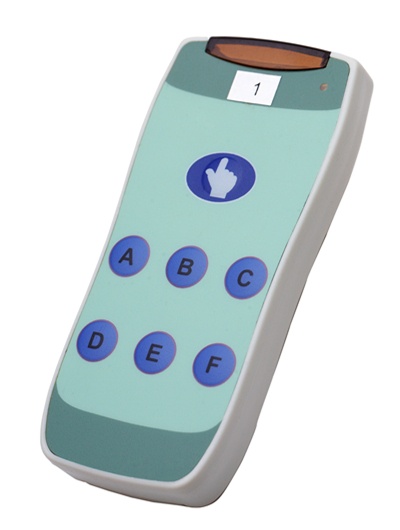
IR117 Clicker
Allows each participant to submit an A–F answer. Every clicker has a programmable ID for individual response collection.
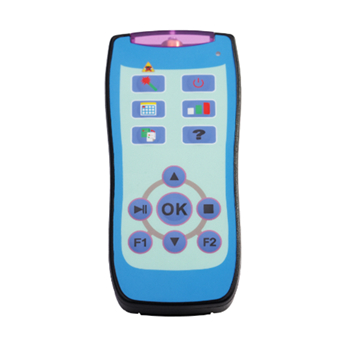
Remote Controller
Gives the teacher or presenter wireless control over slides, quiz activities, result charts and the presentation process.
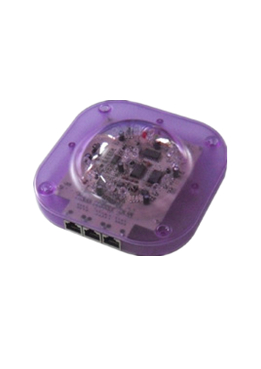
Receiver
Receives answers from the participant clickers and transfers the response data to the connected computer.
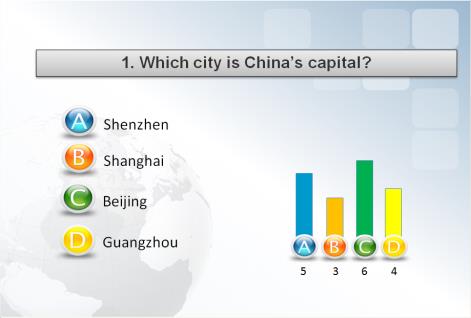
Enjoy Software
Creates questions and activities, processes responses and displays histograms, scores and ranking results.
Key Features
A–F Answer Buttons
Six clearly marked answer buttons support standard single-choice questions and quiz activities.
Fast Response Collection
Collects responses from up to 100 participant clickers in approximately one second.
Long Battery Life
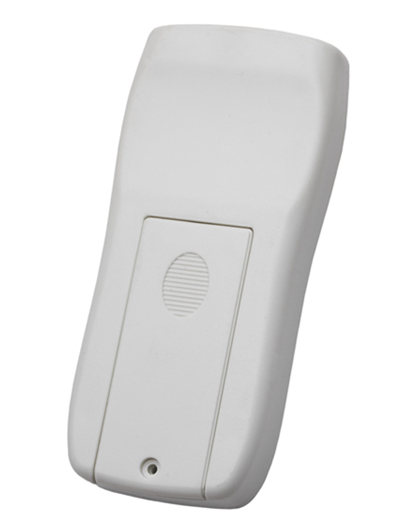
Each clicker uses two AAA batteries and provides up to two years of battery life under typical usage conditions.
Instructor Control
The included instructor remote controls slides, quiz progress and result displays from anywhere in the room.
Programmable IDs
Each participant clicker has a programmable ID and supports fast ID setup for easier system preparation.
Flexible Question Sources
Questions can be presented through PowerPoint, PDF, paper, a whiteboard or directly by the presenter.
IR117 Hardware Details
How the System Works
Present a Question
Display a question through PowerPoint, PDF, paper or a whiteboard.
Submit Responses
Participants select their answers using the A–F buttons on the IR117 clickers.
Receive the Data
The infrared receiver collects the responses and transfers them to the computer.
Display Results
The software presents the responses as charts, scores or ranking lists.
Software for Interactive Activities
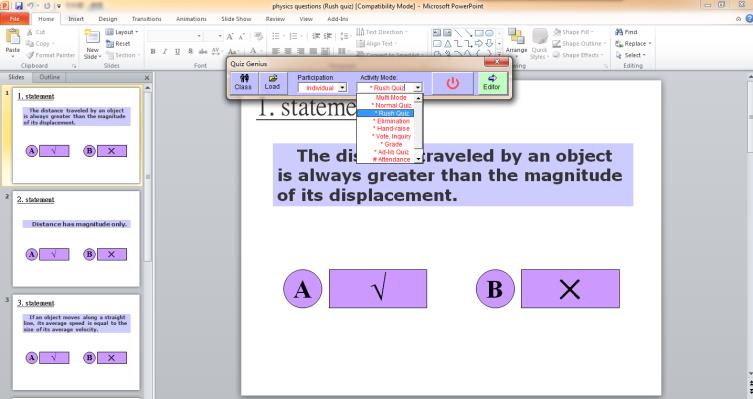
- Integrates with Microsoft PowerPoint
- Provides ten activity modes for teaching, training and quizzes
- Includes normal quiz, rush quiz and elimination modes
- Supports PowerPoint, PDF, paper-based and verbal questions
- Can work with whiteboards, document cameras and tablets
- Automatically recognizes questions and answer options
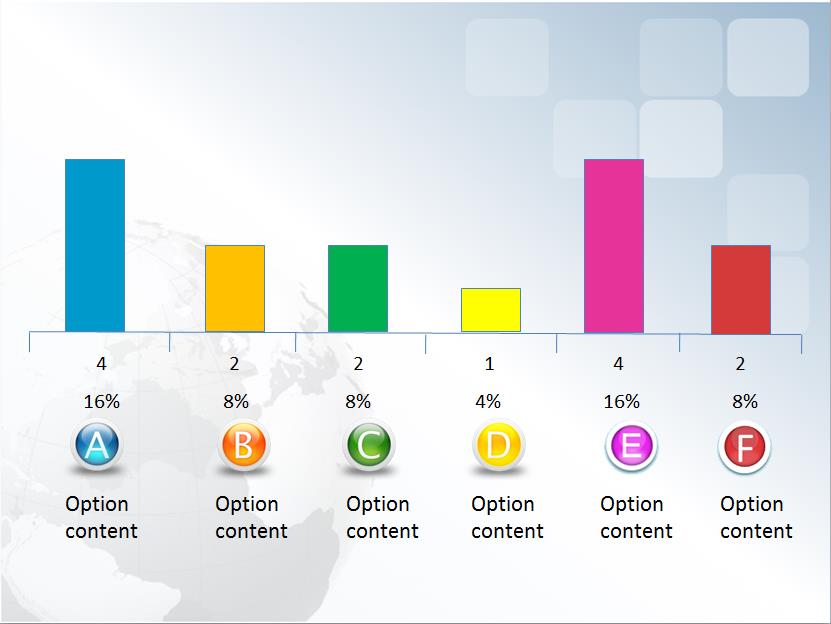
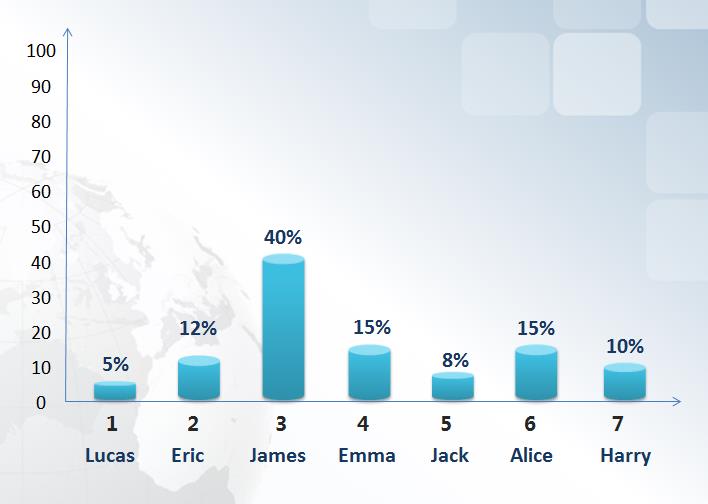
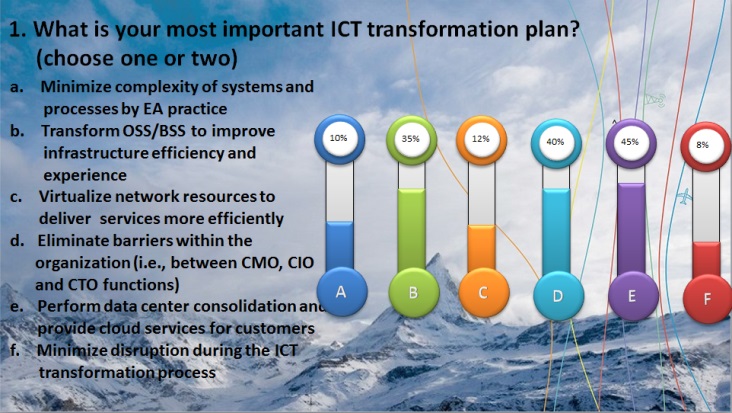
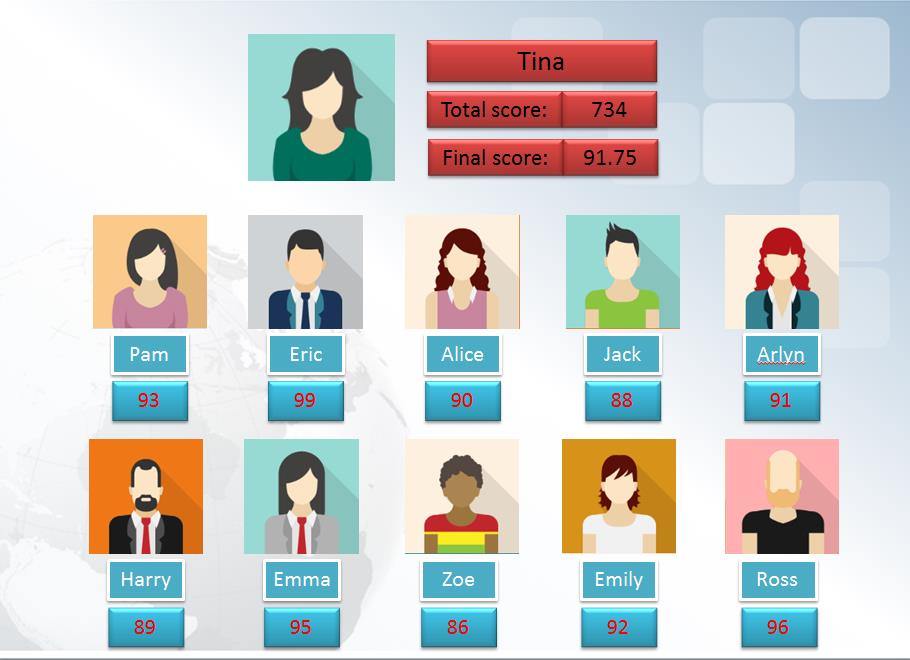
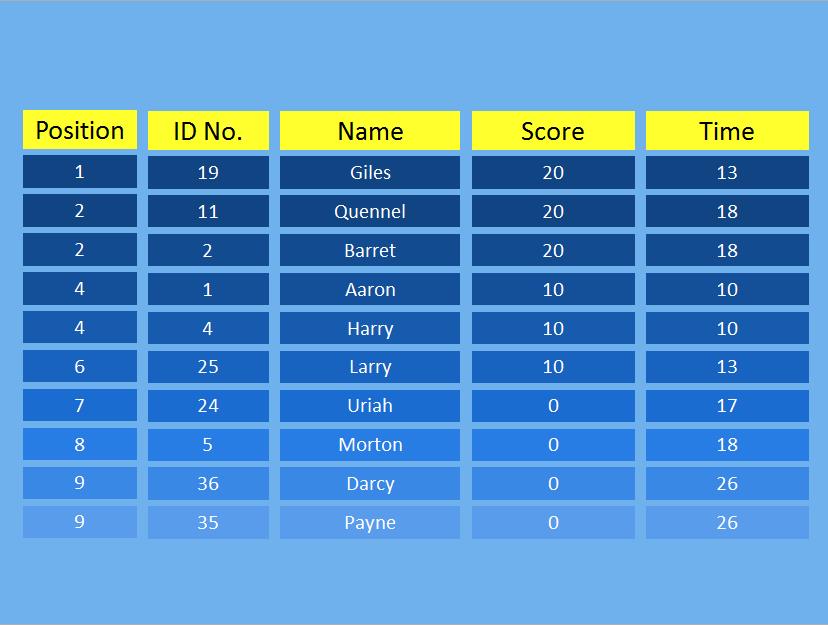
- Displays histograms, score tables and ranking lists
- Exports results in HTML, TXT and Excel-compatible formats
- Available with multiple language interfaces
Customizable Results Display
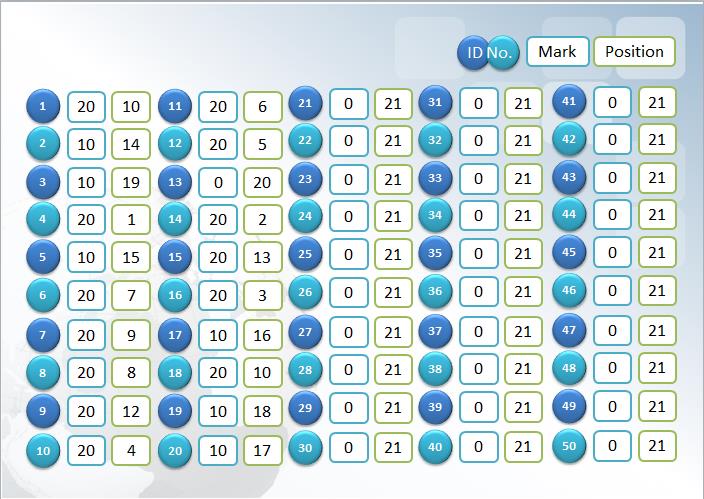
Present response data using histograms, score tables and ranking lists. The appearance can be adapted for different classroom, training, conference and event requirements.
Applications
Classroom Quizzes
Collect student answers and check understanding during lessons.
Corporate Training
Add questions and knowledge checks to employee training.
Conferences
Gather audience opinions and display results during presentations.
Quiz Activities
Run interactive competitions with scores and ranking results.
System Specifications
IR117 Participant Clicker
Individual handheld response device for every participant.
| Answer Buttons | A, B, C, D, E and F |
|---|---|
| Response Type | Single-choice and self-paced response |
| Communication | Infrared |
| Transmission Distance | Up to 30 metres |
| Transmission Angle | Up to 280° |
| Response Speed | Approximately one second for 100 clickers |
| Status Indicators | Green and red LEDs |
| ID Management | Programmable ID with fast ID setup |
| Power | 2 × AAA batteries |
| Typical Battery Life | Up to two years under normal use |
| Housing | Impact-resistant handheld design |
Instructor Remote
Presentation and activity controller for teachers and presenters.
| Communication | Infrared control with up to 280° transmission angle |
|---|---|
| Channels | 4 selectable channels |
| Presentation Control | Move forward or backward through slides and control the presentation process |
| Activity Control | Start quiz activities, control game progress and display result charts |
| Laser Pointer | Built-in laser pointer |
| Status Indicator | LED status indicator |
| Power Saving | Enters power-saving mode after approximately five seconds of inactivity |
| Typical Battery Life | More than one year under normal use |
| Design | Compact handheld design with built-in clip |
Infrared Receiver
Receives participant responses and connects the system to the computer.
| Technology | Enjoy infrared receiving technology |
|---|---|
| Standard Capacity | Up to 100 participant clickers |
| Enhanced Capacity | Up to 400 participant clickers |
| Receiving Angle | Up to 280° |
| Computer Connection | USB or RS-232 |
| Power | DC 12V, 800mA adapter, or USB power depending on the connection and receiver configuration |
| Dimensions | 137 × 137 × 50 mm |
| Weight | Approximately 0.4 kg |
| Operating Temperature | 0–40°C |
| Colour | Purple |
Enjoy Audience Response Software
Question creation, activity control, response processing and result reporting.
| PowerPoint Integration | PowerPoint plug-in for creating and running interactive presentations |
|---|---|
| Activity Modes | Ten activity modes, including normal quiz, rush quiz and elimination |
| Question Sources | PowerPoint, PDF, paper, whiteboard, blackboard and verbal questions |
| Result Displays | Histograms, score tables and ranking lists |
| Result Export | HTML, TXT and Excel-compatible formats |
| Additional Functions | Automatic question recognition and automatic option setup |
| Language Options | Multiple software language versions available |
System components and specifications may vary according to the selected package, receiver version and software configuration.

Contact us
Tel / Fax: 86-20-37212096
Postcode: 510850
SKYPE: enjoy-ars
Email: [email protected], [email protected]
WeChat: cxlweibo2011
WhatsApp: +86 13316041506