Enjoy RF220
A full-text wireless clicker for detailed answers, advanced assessments and real-time audience messaging.
ENJOY RF220 Wireless Clicker
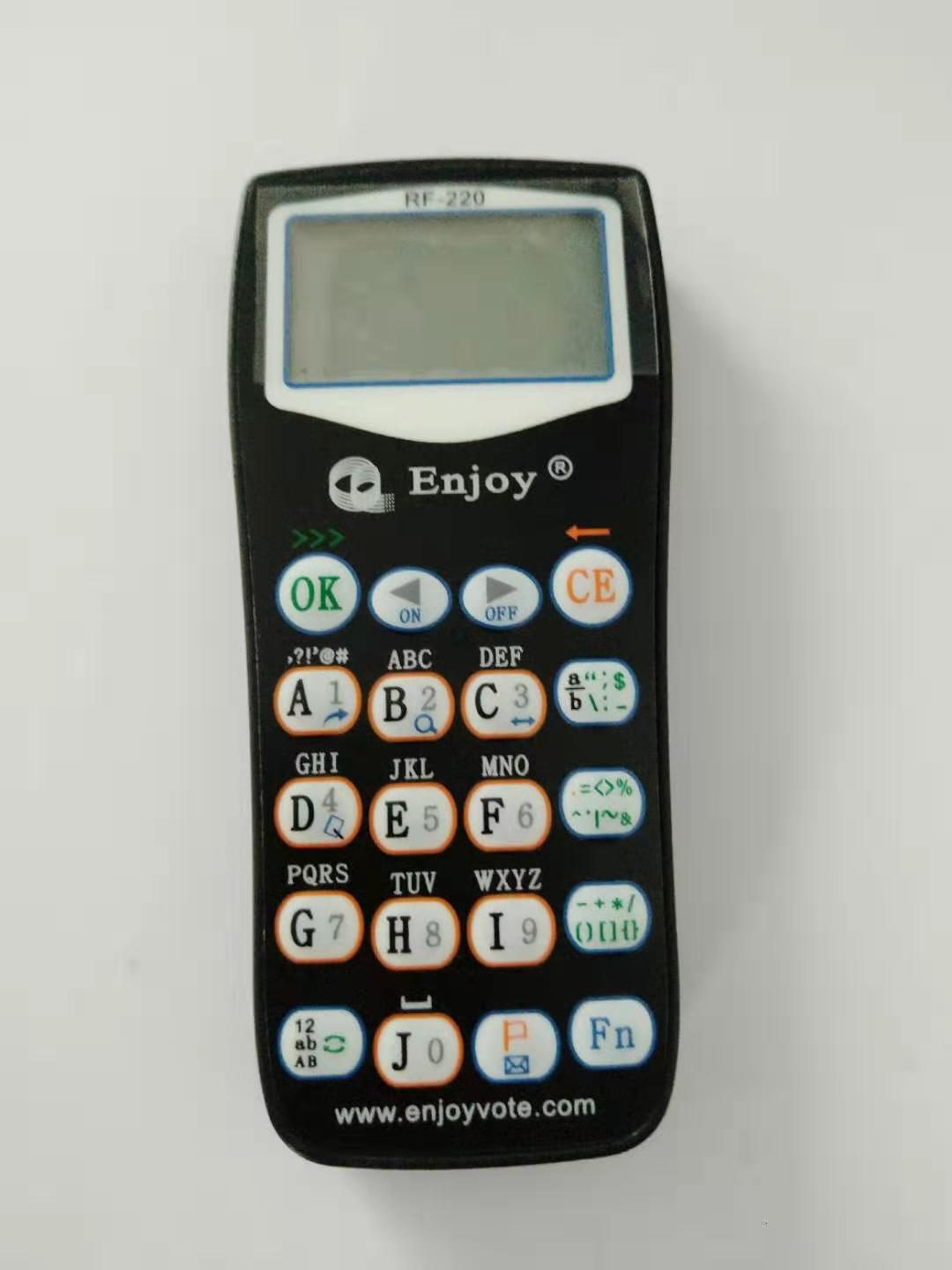
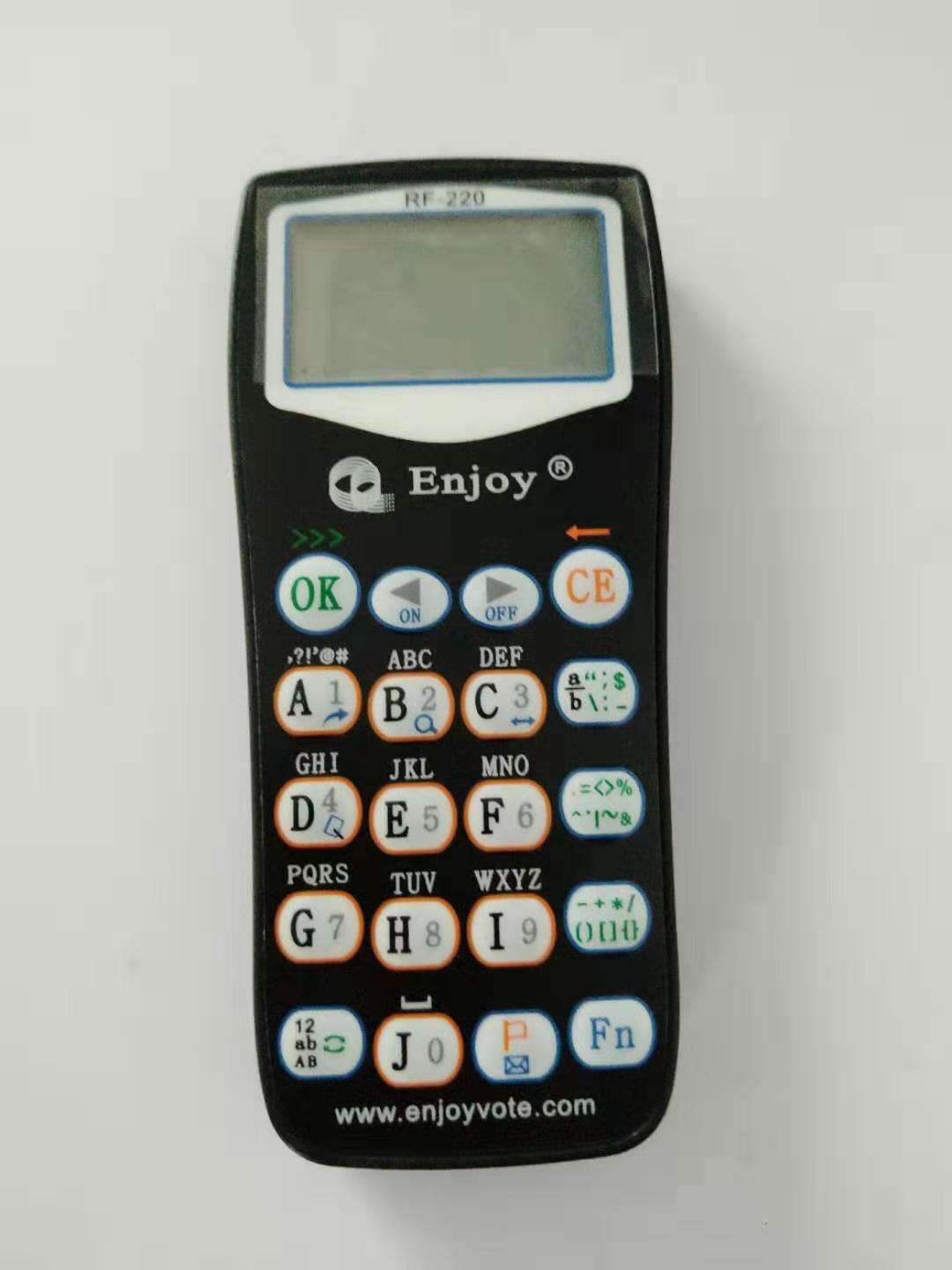
A full-text wireless audience response clicker with a 128 × 64 LCD screen, mobile-phone-style keypad and flexible answer input for advanced classroom, meeting and event interaction.
A Complete Wireless Response System
The RF220 system combines full-text participant clickers, a Remote Controller, an RF220 receiver and compatible audience response software for advanced interactive questions, messaging and data collection.
RF220 Clickers
Full-text clickers supporting letters, numbers, punctuation, messages and multiple response formats.
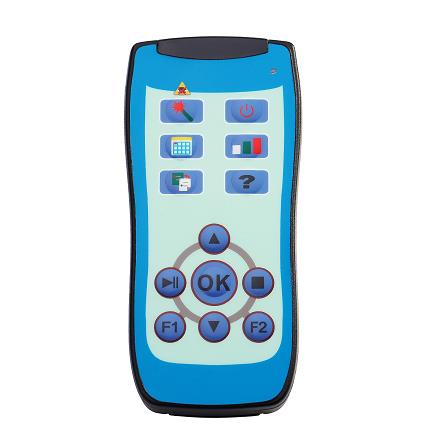
Remote Controller
Control presentations, quizzes, games and response displays using the integrated laser pointer.
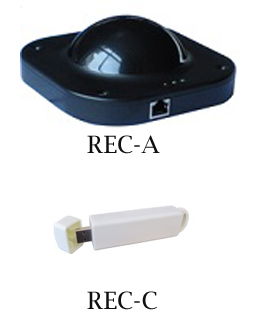
RF220 Receiver
A high-capacity 2.4GHz receiver supporting up to 2,000 RF220 clickers.
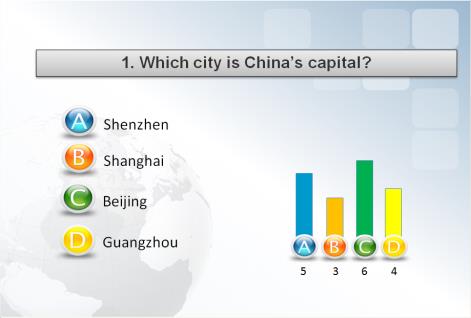
Response Software
Create advanced questions, receive text responses, send messages and analyze participant data.
Key Features
RF220 goes beyond basic multiple-choice voting by allowing participants to enter complete text, numbers, symbols and messages directly from the clicker.
Full-Text Input
Enter up to 120 characters using uppercase letters, lowercase letters, numbers, punctuation and symbols.
128 × 64 LCD Screen
The dot-matrix display shows entered text, selected answers, clicker ID, battery level and response status.
Mobile-Phone-Style Keypad
A familiar 20-key layout makes it easier to enter letters, numbers, punctuation and commands.
Advanced Question Types
Supports single choice, multiple correct answers, fill-in-the-blank, sorting and numeric questions.
Interactive Messaging
Participants can submit written messages and communicate interactively through supported software functions.
High-Capacity System
One compatible RF220 receiver supports up to 2,000 clickers, with up to 64 systems operating nearby.
Flexible Question and Response Modes
RF220 supports detailed written answers as well as the standard response formats used in classrooms, meetings, surveys and audience voting.
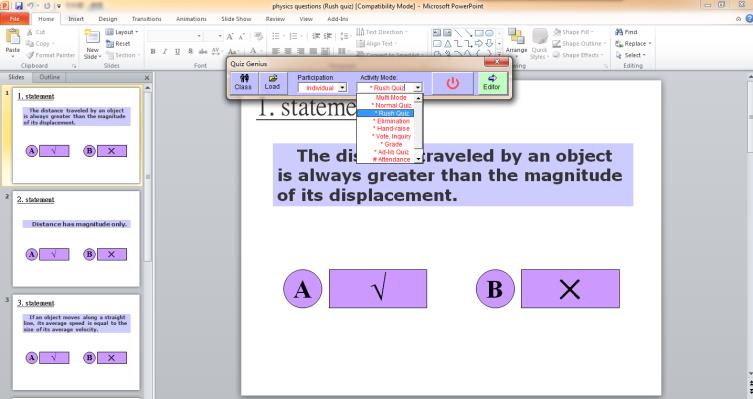
Advanced Audience Response Software
ENJOY software combines familiar presentation tools with advanced text-response, messaging, quiz and reporting functions.
- Integration with Microsoft PowerPoint
- Complete text, number, punctuation and symbol input
- Single-choice and multiple-correct-answer questions
- Fill-in-the-blank and sorting questions
- True/False, Yes/No and For/Against/Abstain voting
- Interactive messaging between presenter and participants
- Self-paced tests and homework collection
- Automatic response analysis and report generation
- Web-based answer report checking and analysis support
Customizable Results for Events and Conferences
Display collected responses through customized histograms, score tables, rankings and branded result screens.
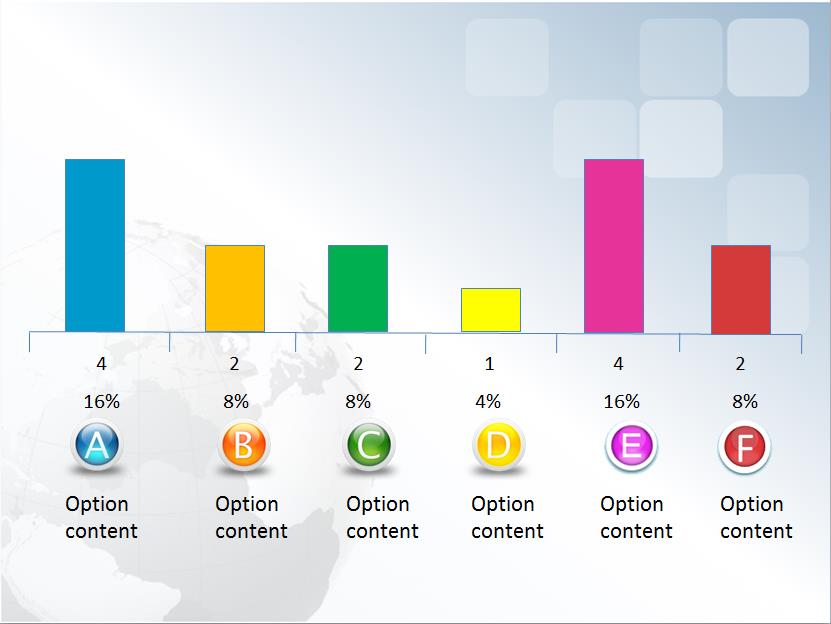
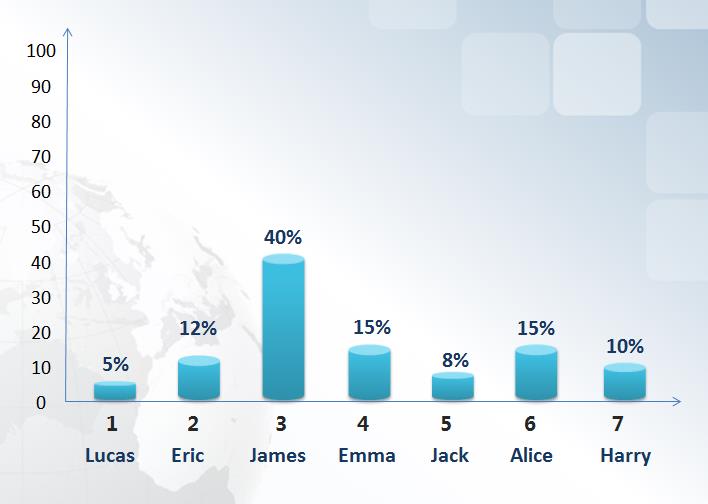
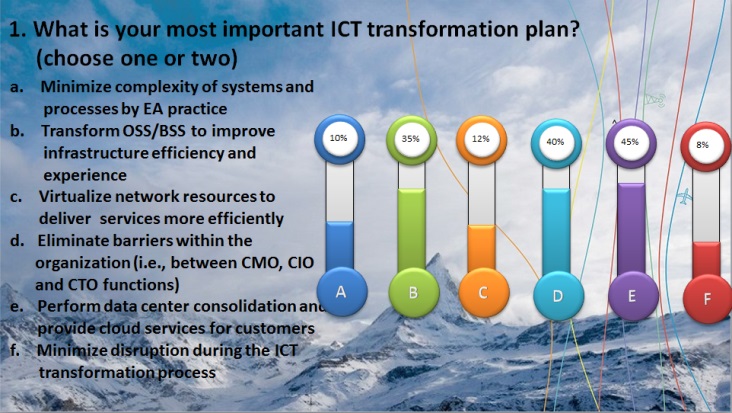
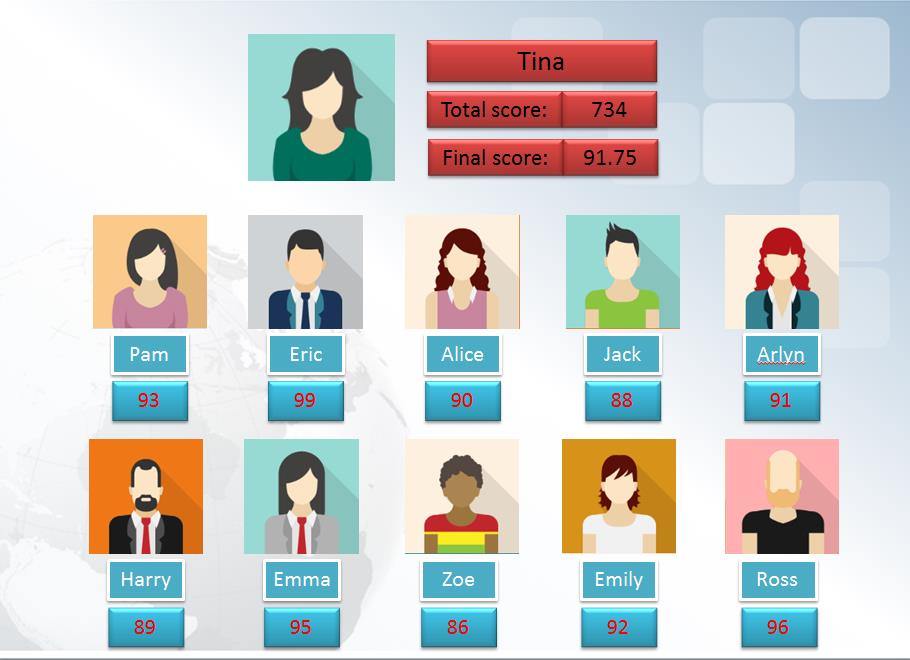
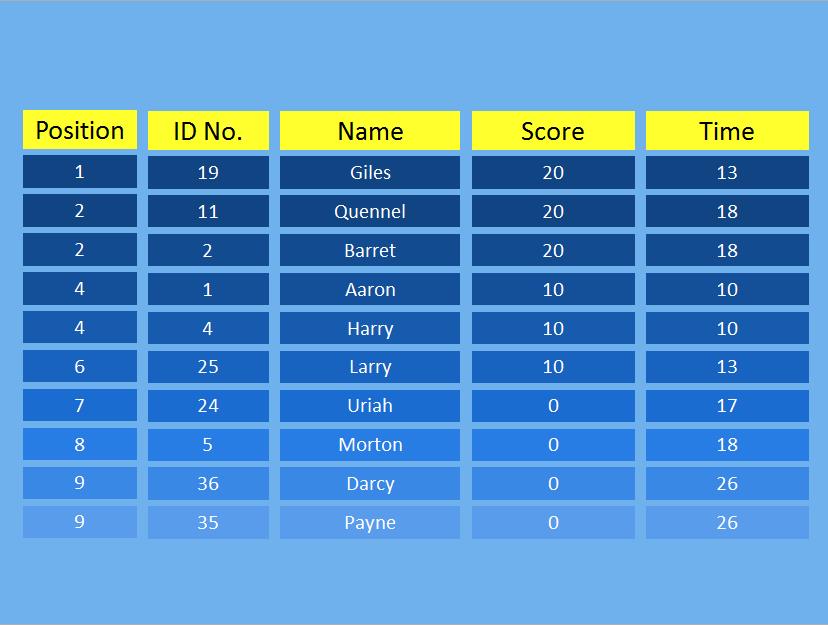
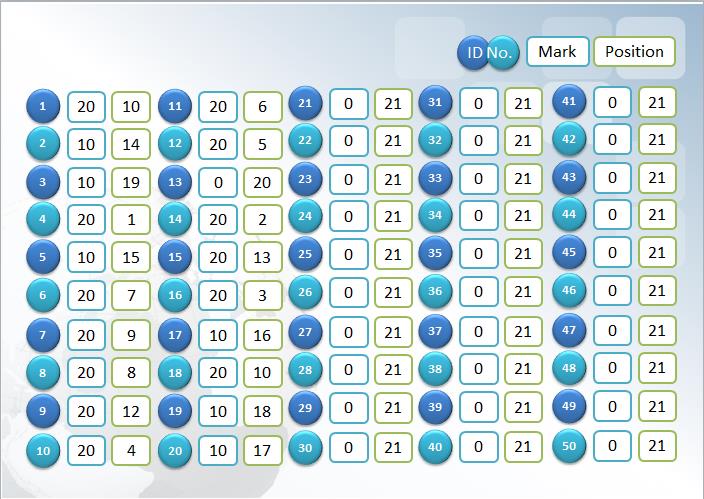
Histograms, score tables, ranking lists and report screens can be customized according to the customer’s event requirements.
Applications
RF220 is suitable for activities that require more detailed participant input than a standard multiple-choice clicker.
Complete System Package
A complete RF220 system can be supplied with the participant clickers, Remote Controller, Receiver, software and the necessary system accessories.
System Specifications
Technical information for the RF220 Clicker, Remote Controller, RF220 Receiver and audience response software.
RF220 Participant Clicker
Full-text LCD response clicker with advanced question and messaging functions.
| RF technology | 2.4GHz digital RF communication |
|---|---|
| Display | 128 × 64 dot-matrix LCD |
| Text capacity | Up to 120 characters per response |
| Numeric capacity | Up to 15 digits |
| Buttons | 20 physical keys providing A–Z, a–z, 0–9, punctuation, Rush, OK, Clear, Up/Down, On/Off and FN functions |
| Response types | Full text, single choice, multiple correct options, fill in the blank, sorting, numeric input, voting and messages |
| Dimensions | 52.8 × 14.5 × 116 mm |
| Weight | Approximately 42 g without batteries; two batteries weigh approximately 17 g |
| Power supply | Two AAA batteries; alkaline batteries recommended |
| Typical battery life | Approximately one year under ordinary use |
| Battery indication | Built-in battery-level checking and display |
| Transmission distance | More than 100 meters in suitable conditions |
| Transmission angle | 360 degrees |
| Response speed | Approximately 4.5 seconds for responses from 400 clickers |
| Receiver capacity | Up to 2,000 RF220 clickers with one compatible RF220 receiver |
| Parallel systems | Up to 64 systems can operate in the same location |
Remote Controller
Compact wireless controller for presentations, quizzes, games and result displays.
| Buttons | 13 physical buttons |
|---|---|
| Dimensions | 104 × 15 × 49 mm |
| Weight | Approximately 45 g |
| Status indication | LED status indicator |
| Radio channels | 4 channels |
| Transmission angle | 360 degrees |
| Laser pointer | Built in |
| Power supply | Two 1.5V batteries |
| Typical battery life | More than one year under normal use |
| Power saving | Enters power-saving mode after approximately five seconds of inactivity |
| Functions | Presentation navigation, quiz control, result display, random participant selection and game control |
RF220 Receiver
High-capacity 2.4GHz receiver with automatic radio-channel management.
| RF technology | 2.4GHz digital RF technology |
|---|---|
| Channel management | Automatic radio-channel transfer |
| Receiving distance | More than 100 meters in suitable conditions |
| Receiving angle | 360 degrees |
| Receiver capacity | Up to 2,000 RF220 clickers |
| Parallel operation | Up to 64 systems can operate simultaneously in the same location |
| Operating temperature | 0–40°C |
| Operating humidity | 0–90% relative humidity |
| Operating power | Less than 1 mW |
| Receiver models |
REC-220A
Black, opaque
USB or RS232 Weight: 0.17 kg 137 × 137 × 50 mm
REC-220B
USB connection
100 × 60 × 27 mm
REC-220C
White, opaque
USB Weight: 0.027 kg 104 × 26 × 18 mm |
| USB cable | Standard 5m cable for REC-220A; extendable to 30m without additional power and up to 200m with additional power |
| Power supply | DC 12V/800mA adapter where required, or USB power depending on receiver model |
Audience Response Software
Advanced text-response, polling, messaging, assessment and reporting software.
| Text functions | Supports letters, numbers, punctuation, symbols and complete text answers |
|---|---|
| Question modes | Text, multiple choice, multi-correct, True/False, Yes/No, voting, sorting, numeric and category questions |
| Presentation integration | Microsoft PowerPoint integration |
| Activity functions | Multiple classroom, training, meeting, polling and quiz activity modes |
| Self-paced functions | Supports paper-based tests, participant-paced assessment and homework submission |
| Messaging | Interactive messaging between the presenter and participants |
| Participant management | Programmable clicker IDs and participant assignment functions |
| Reports | Response analysis, charts, score tables, rankings and exportable reports |
| Web functions | Supports web-based answer-report checking and analysis |

Contact us
Tel / Fax: 86-20-37212096
Postcode: 510850
SKYPE: enjoy-ars
Email: [email protected], [email protected]
WeChat: cxlweibo2011
WhatsApp: +86 13316041506