Enjoy ESS
A flexible status synchronizer that extends ENJOY Buzzers or custom switches to larger lights, displays and interactive effects.
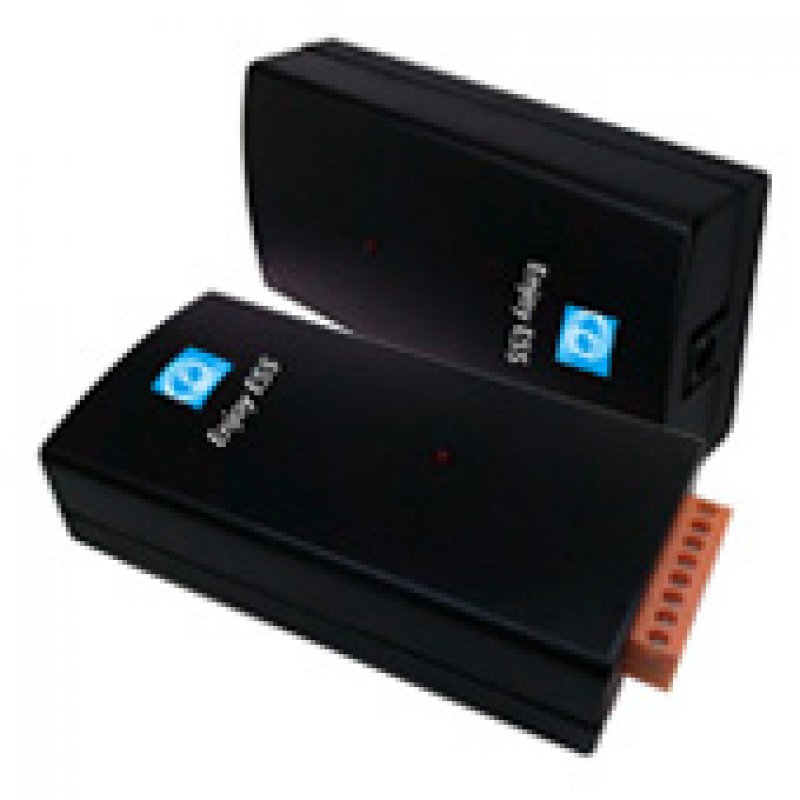
Extend Every Buzzer Response Beyond the Button
ENJOY ESS synchronizes buzzer or switch status with larger external lights, LED displays and other compatible devices, creating clearer and more dramatic game feedback.

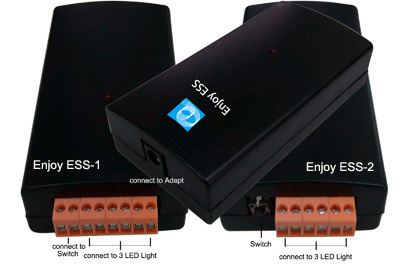
Turn a Small Buzzer Signal into a Larger Visual Effect
Pair ESS with an ENJOY Buzzer ID or connect a compatible external switch. When the buzzer status changes, connected light strings, large indicators or display devices respond at the same time.
How ENJOY ESS Works
ESS acts as the bridge between the player input and larger external feedback devices.
Buzzer or Switch
An ENJOY Buzzer changes status, or a compatible external switch is pressed.
ESS Synchronizes
ESS receives the input or matches the programmed ENJOY Buzzer ID.
External Devices Respond
Connected lights, indicators or compatible displays change together.
Choose the Right ESS Version
The main difference is whether you need to connect a third-party switch.
ESS-1
An extendable professional buzzer interface for ENJOY systems or compatible switches.
Most Flexible Version- Accepts a normally open external switch input
- Can work with ENJOY 205 and 215 Buzzer systems
- Can also work with a compatible third-party switch
- Provides three synchronized status outputs
- Suitable for custom buttons and professional installations
ESS-2
A dedicated status synchronizer for an existing ENJOY Buzzer system.
Simpler ENJOY Expansion- Works as an accessory for ENJOY 205 and 215 systems
- Set ESS-2 to the same ID as the selected buzzer
- Provides three synchronized status outputs
- Does not accept a third-party switch input
- Suitable for adding larger indicators to ENJOY Buzzers
ESS-1 vs. ESS-2
A quick comparison to help select the correct model.
| Function | ESS-1 | ESS-2 |
|---|---|---|
| Works with ENJOY 205 / 215 | Yes | Yes |
| Synchronizes external status lights | Yes | Yes |
| Accepts third-party switch input | Yes | No |
| Can operate as a custom buzzer interface | Yes | No |
| Best suited for | Custom buttons and expanded professional setups | Adding larger feedback to an ENJOY Buzzer |
Basic Setup
Connect, match the ID when required, and test all status outputs.
Connect Power and Devices
Connect the power supply, external indicators and the switch input when using ESS-1.
Match the Buzzer ID
When working with ENJOY Buzzers, assign ESS the same ID as the selected unit.
Test Every Status
Confirm that all connected lights or displays follow each buzzer state correctly.
Key Features
Flexible expansion for custom quiz stations and larger visual feedback.
Applications
Use ESS when the standard buzzer light is too small or a custom input is required.
Technical Information
Confirm the connected devices and electrical requirements before installation.
Connections & Compatibility
- Compatible with ENJOY RF205 systems
- Compatible with ENJOY RF215 systems
- ESS-1 switch type: normally open
- Three synchronized status outputs
- Input voltage range: 5–36V
- Output voltage follows the input voltage
- Power adapter required
- Supports compatible LED or display devices

Contact us
Tel / Fax: 86-20-37212096
Postcode: 510850
SKYPE: enjoy-ars
Email: [email protected], [email protected]
WeChat: cxlweibo2011
WhatsApp: +86 13316041506