Enjoy RF218-4
2.4GHz Two-Way RF Response […]
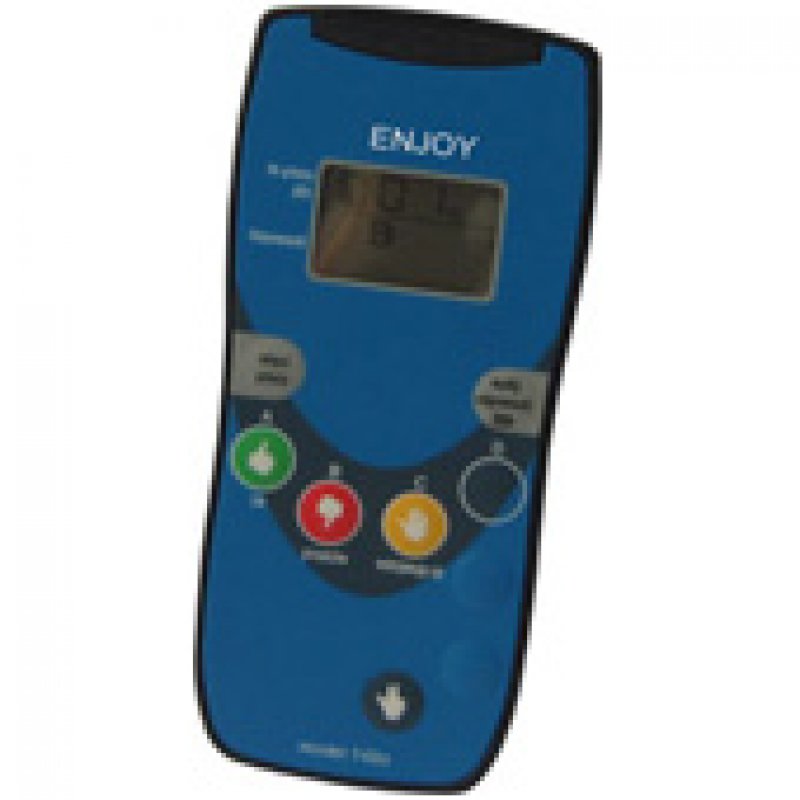
ENJOY RF218-4 Wireless Clicker
A cost-effective four-option wireless clicker with an LCD display, numeric-answer support and advanced self-paced, group quiz and homework functions.
A Complete Wireless Response System
The RF218-4 system combines participant clickers, a Remote Controller, an RF receiver and compatible audience response software in one complete interactive solution.
RF218-4 Clickers
Four-option A–D response clickers with LCD confirmation, numeric input and multiple response modes.
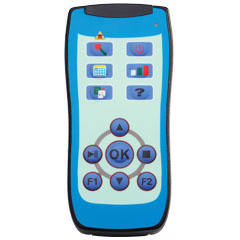
Remote Controller
Control presentations, quizzes and results from anywhere in the room using the built-in laser pointer.
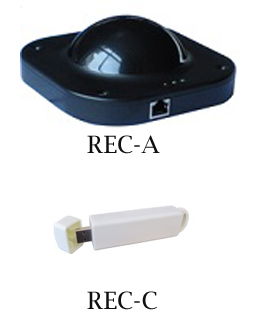
RF Receiver
A 360-degree 2.4GHz RF receiver supporting up to 999 participant clickers.
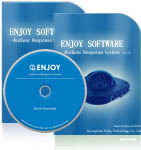
Response Software
Create interactive quizzes, collect responses and generate reports through familiar presentation tools.
Key Features
RF218-4 provides more response flexibility than a basic four-button clicker while remaining simple enough for everyday classroom and audience use.
A–D Multiple-Choice Answers
Four clearly defined answer options for single-choice and multiple-correct-option questions.
Numeric Answers from 0 to 100
Participants can submit numeric answers for calculations, estimates, ratings and other number-based questions.
LCD Answer Confirmation
The screen displays answer information and indicates whether the response has been sent and received.
Self-Paced and Homework Modes
Participants can answer paper-based tests independently, review responses and submit stored homework answers.
Two-Way RF Communication
Reliable 2.4GHz two-way communication provides response confirmation without requiring direct line of sight.
Large-System Capacity
One compatible receiver can process responses from up to 999 RF218-4 clickers.
Flexible Response Types
RF218-4 supports standard classroom questions as well as more advanced assessment and voting activities.
How It Works
Set up an interactive session in four simple steps.
Connect the Receiver
Connect the compatible RF receiver to the presentation computer.
Prepare the Questions
Create presentation, verbal, paper-based or blackboard-based questions.
Collect Responses
Participants submit A–D or numeric answers using their RF218-4 clickers.
Display the Results
Present charts and rankings or export the collected response data.
Interactive Response Software
ENJOY response software works with familiar presentation workflows and provides tools for creating questions, collecting answers and analyzing results.
- Integration with Microsoft PowerPoint
- Multiple quiz and activity modes
- Supports projected, verbal and paper-based questions
- Automatic answer collection and result analysis
- Charts, score tables and ranking lists
- Exportable response data and reports
- Supports self-paced tests and homework activities
- No per-seat software licensing charge
Applications
Suitable for education, training, meetings and interactive audience activities.
Complete System Package
A standard RF218-4 system can be supplied with the following hardware, software and accessories.
System Specifications
Technical information for the RF218-4 clicker, Remote Controller, receiver and response software.
RF218-4 Participant Clicker
Four-option LCD clicker with numeric, self-paced and homework response functions.
| Answer buttons | A, B, C and D |
|---|---|
| Response types | Single choice, multiple correct options, True/False, Yes/No and numeric answers |
| Numeric input | Numbers from 0 to 100 |
| Display | LCD display showing answer information and response transmission status |
| Communication | 2.4GHz two-way digital RF |
| Radio channels | 4 channels |
| Transmission distance | More than 100 meters in suitable conditions |
| Transmission angle | 360 degrees |
| Power supply | Two 1.5V AAA batteries |
| Typical battery life | Approximately 1–2 years under normal use |
| ID management | Programmable ID address and fast-ID setup |
| Testing modes | Group test, self-paced response and homework modes |
| Durability | Impact-resistant construction and spill-resistant button cover |
| System protection | WDT automatic reset support |
Remote Controller
Wireless presentation and activity controller with a built-in laser pointer.
| Technology | 2.4GHz RF communication |
|---|---|
| Radio channels | 4 channels |
| Transmission distance | More than 100 meters |
| Transmission angle | 360 degrees |
| Laser pointer | Built in |
| Presentation control | Move forward or backward, start or stop a quiz, display charts and control activities |
| Power supply | Two 1.5V batteries |
| Battery life | More than one year under normal use |
| Power saving | Enters power-saving mode after approximately five seconds of inactivity |
| Design | Compact handheld body with an integrated clip |
RF Receiver
High-capacity 2.4GHz receiver for RF218-4 wireless response systems.
| RF technology | 2.4GHz two-way digital RF |
|---|---|
| Radio channels | 4 channels |
| Receiving distance | 100-meter radius in suitable conditions |
| Receiving angle | 360 degrees |
| System capacity | Up to 999 RF218-4 clickers per receiver |
| Processing speed | Fewer than 5 seconds for responses from up to 999 clickers |
| Computer connection | USB; selected receiver supports RS232 |
| Operating temperature | 0–40°C |
| Operating humidity | 0–90% relative humidity |
| Operating power | Less than 1 mW |
| Installation | Desk, wall or ceiling placement; keep the receiver clear of metal obstructions |
| Receiver versions |
REC-218A
Black, opaque
USB or RS232 0.4 kg 137 × 137 × 50 mm
REC-218B
Blue, opaque
USB 0.1 kg 100 × 60 × 27 mm
REC-218C
White, opaque
USB 0.03 kg 104 × 26 × 18 mm |
| Power supply | DC 12V/800mA adapter where required, or USB power depending on receiver model |
Audience Response Software
Interactive question creation, response collection and result-reporting software.
| Presentation integration | Microsoft PowerPoint plug-in workflow |
|---|---|
| Question sources | PowerPoint, verbal questions, blackboard, paper-based tests and other displayed content |
| Activity modes | Normal quiz, multiple-choice quiz, self-paced test, homework and other interactive activities |
| Response analysis | Automatic statistics, charts, score tables, ranking lists and activity reports |
| Data management | Import participant rosters and export response data and reports |
| Languages | Multiple language versions available, including English, Chinese, Spanish, Portuguese, Russian, Turkish, Italian and Dutch |
| Licensing | ENJOY software is supplied with the system without per-seat licensing fees |

Contact us
Tel / Fax: 86-20-37212096
Postcode: 510850
SKYPE: enjoy-ars
Email: [email protected], [email protected]
WeChat: cxlweibo2011
WhatsApp: +86 13316041506